 ProxyZip
ProxyZip / Features / Mobile debugging
Debug what your phone sends
Mobile bugs are often network bugs. ProxyZip shows the requests a phone makes, decrypted, on your computer.
A real device
The phone and the computer must share a network, and Allow LAN connections must be on in Settings.
- Set the Wi-Fi proxy on the phone to the address and port the app shows.
- Open
http://proxyzip.certin the phone's browser, or scan the QR code in the iPhone & iPad tab. - Install the profile and trust it (iOS asks you to enable full trust in Settings).
Android works the same way from the Android tab. Apps on recent Android versions ignore user certificates unless the app opts in, which the devices guide explains.
Simulators and emulators
proxyzip ca ios-simulator
proxyzip ca android
The Devices window checks what is already set up and offers a button for each step that is not.
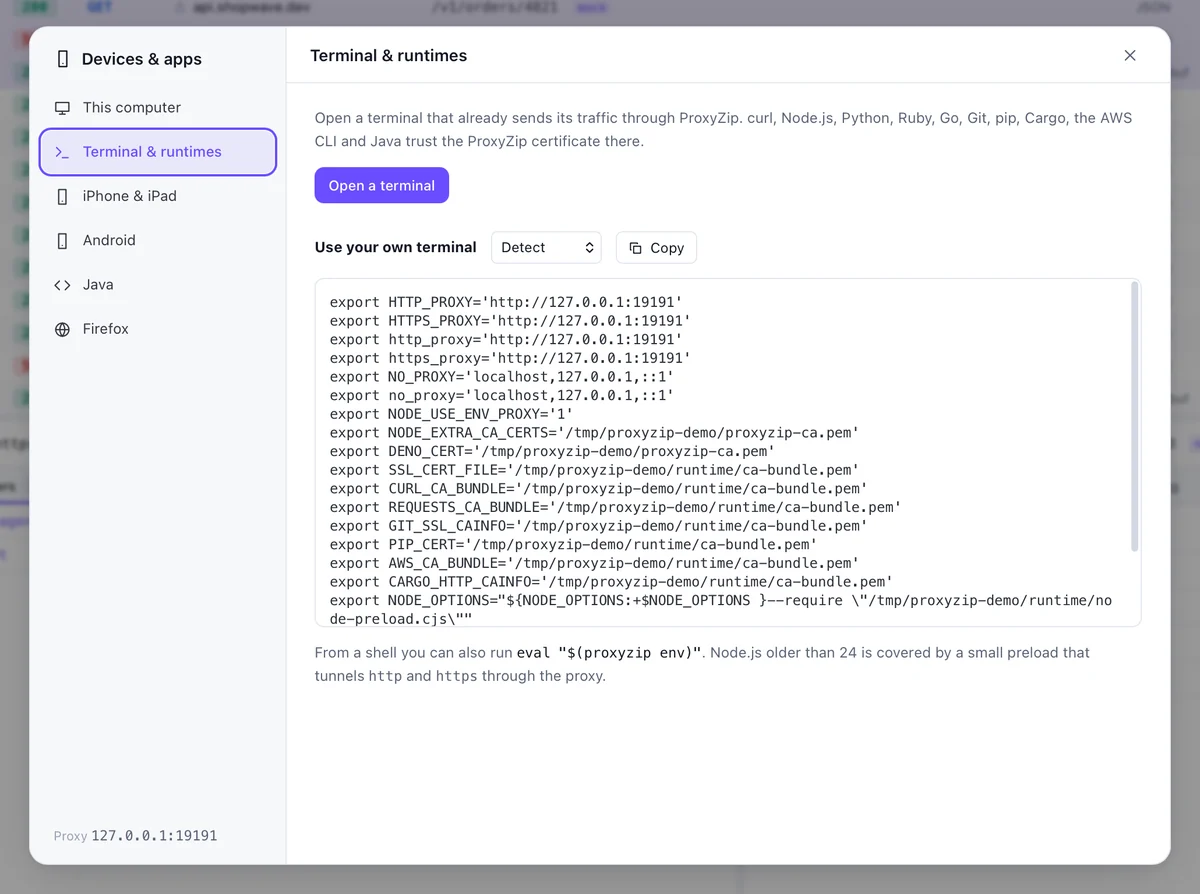
Your terminal and runtimes
eval "$(proxyzip env)" routes the current shell through ProxyZip and makes curl, Node.js, Python, Go, Git, pip, Cargo, the AWS CLI, Deno and Java trust the certificate. Hosts you excluded from decryption keep working.
More listeners
A SOCKS5 port and reverse-proxy ports handle clients that cannot use an HTTP proxy.
Read the full devices guide.