 ProxyZip
Plugins
A plugin is a small JavaScript package that extends ProxyZip with traffic hooks, body viewers and “copy as” formats. It runs in the same sandbox as scripts: QuickJS, no file, network or process access, 2 seconds and 64 MB per call.
A plugin with a traffic hook can read and change the requests it matches. Install only plugins you trust.
Install
Settings → Plugins → Install from folder… (or from .zip…). Plugins are stored in <data folder>/plugins/<id>,
can be switched off without removing them, and a broken plugin is reported without affecting the others.
Anatomy
my-plugin/
  plugin.json
  main.js
{
  "id": "my-plugin",
  "name": "My plugin",
  "version": "1.0.0",
  "description": "What it does",
  "author": "You",
  "api": 1,
  "contributes": {
    "hooks": { "pattern": "api.example.com", "regex": false, "methods": [], "request": true, "response": false },
    "viewers": [{ "id": "custom", "name": "Custom format", "content_types": ["application/x-custom"] }],
    "copy_as": [{ "id": "markdown", "name": "Markdown", "syntax": "text" }]
  }
}
id uses a-z, 0-9, ., _ and -. api is the plugin API version the plugin was written for (currently 1);
a plugin that needs a newer one is refused with a message. Everything under contributes is optional. Plugin API 2 adds settings and tabs (below); API 1 plugins keep working.
Hooks
Exactly like a script: define onRequest(ctx, request) and/or onResponse(ctx, request, response) in main.js.
hooks.pattern is matched against the URL (a regular expression when regex is true) and methods limits the HTTP
methods. Hooks run together with your own scripts (and obey the Scripts switch in Tools). They are never written to
rules.json.
function onRequest(ctx, request) {
  request.headers["x-request-id"] = request.headers["x-request-id"] || $.uuid();
  return request;
}
Viewers
A viewer decodes bodies that no built-in viewer understands. decode(body, info) receives
body:{ text, base64 }.textis the UTF-8 text, ornullfor binary data;info:{ contentType, url };
and returns { format, json } (or null to pass). The result appears in the Decoded view, with a note naming the
plugin.
function decode(body, info) {
  const jwt = $.jwt.decode(body.text.trim());
  return { format: "jwt", json: { header: jwt.header, payload: jwt.payload } };
}
Copy as
generate(request) receives the request ({ method, url, headers, body, bodyBase64 }, body decoded) and returns text.
It becomes another tab in the Code window, next to the built-in languages.
function generate(request) {
  return "```http\n" + request.method + " " + request.url + "\n```";
}
Settings
A plugin can let the user choose values (API 2). Declare them in plugin.json:
"settings": [
  { "key": "name", "label": "Header name", "type": "string", "default": "x-debug" },
  { "key": "retries", "label": "Retries", "type": "number", "default": 3 },
  { "key": "mask", "label": "Mask values", "type": "boolean", "default": true },
  { "key": "mode", "label": "Mode", "type": "select", "options": ["fast", "safe"] }
]
Settings → Plugins → Settings shows a form, and main.js reads the values as plugin.settings.name. Hooks pick up
changes immediately. The same plugin object has id, name and version.
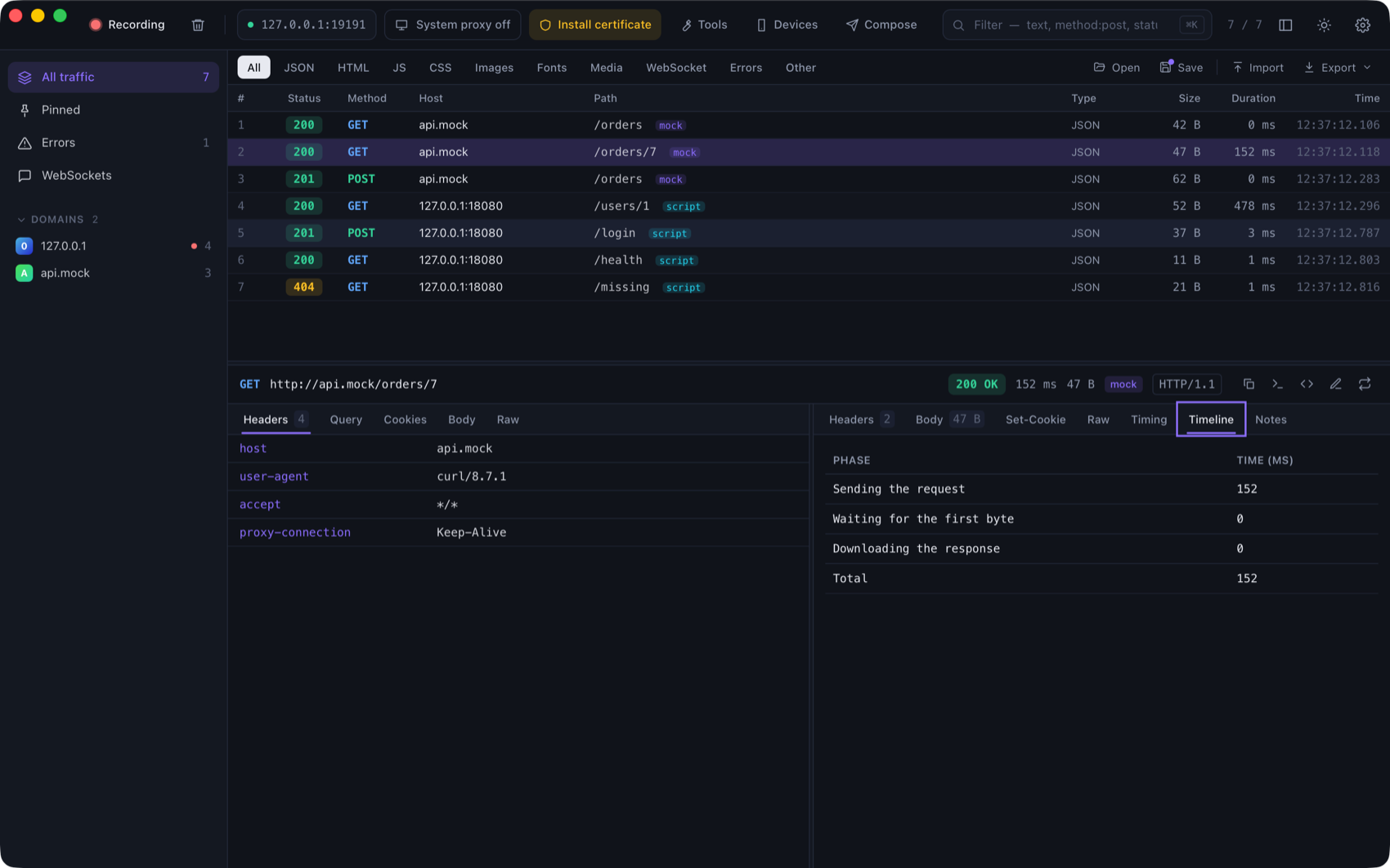
Inspector tabs
A plugin can add a tab next to the response's Body and Timing (API 2):
"contributes": { "tabs": [{ "id": "timeline", "name": "Timeline" }] }
function render(flow, info) {
  return { type: "table", content: { columns: ["Phase", "ms"], rows: [["Total", String(flow.timing.finished - flow.timing.started)]] } };
}
flow has id, request and response (as in scripts, bodies decoded), timing (started, request_sent,
response_started, finished in milliseconds), tags, client, tls and error. The result is one of:
type |
content |
|---|---|
text |
A string |
markdown |
A string: headings, lists, code blocks, **bold** and `code` (no HTML) |
json |
Any value, shown as a tree |
table |
{ columns: [...], rows: [[...], ...] } |
Catalog
Settings → Plugins → Browse the catalog lists the plugins published in the plugins folder of the
ProxyZip repository. Installing downloads the files and checks every one against its SHA-256 in
catalog.json; a file that does not match is not installed. Updates are offered when the
catalog has a newer version.
To contribute a plugin, add a folder to plugins/, run python3 plugins/build_catalog.py to refresh the catalog, and
open a pull request. CI checks that the catalog matches the files.
Examples
plugins holds the catalog:
| Plugin | What it shows |
|---|---|
| JWT viewer | A viewer and a Markdown “copy as” |
| Request ID | A hook |
| Base64 viewer | A viewer with a setting |
| Add header | A hook driven by four settings |
| Request timeline | An inspector tab |
They are covered by tests, so they keep working.
Helpers
The same $ helpers and console as scripts are available: hashing, Base64, JWT decoding, UUIDs and JSON.
console output from hooks appears in the flow's Console tab.