 ProxyZip
ProxyZip / Docs / Replay suites
Replay suites
A suite is a list of requests that ProxyZip sends in order, with variables and checks. Values from one answer (a token, an id) can feed the next request. Run it from the app while you work, or from the command line in CI.
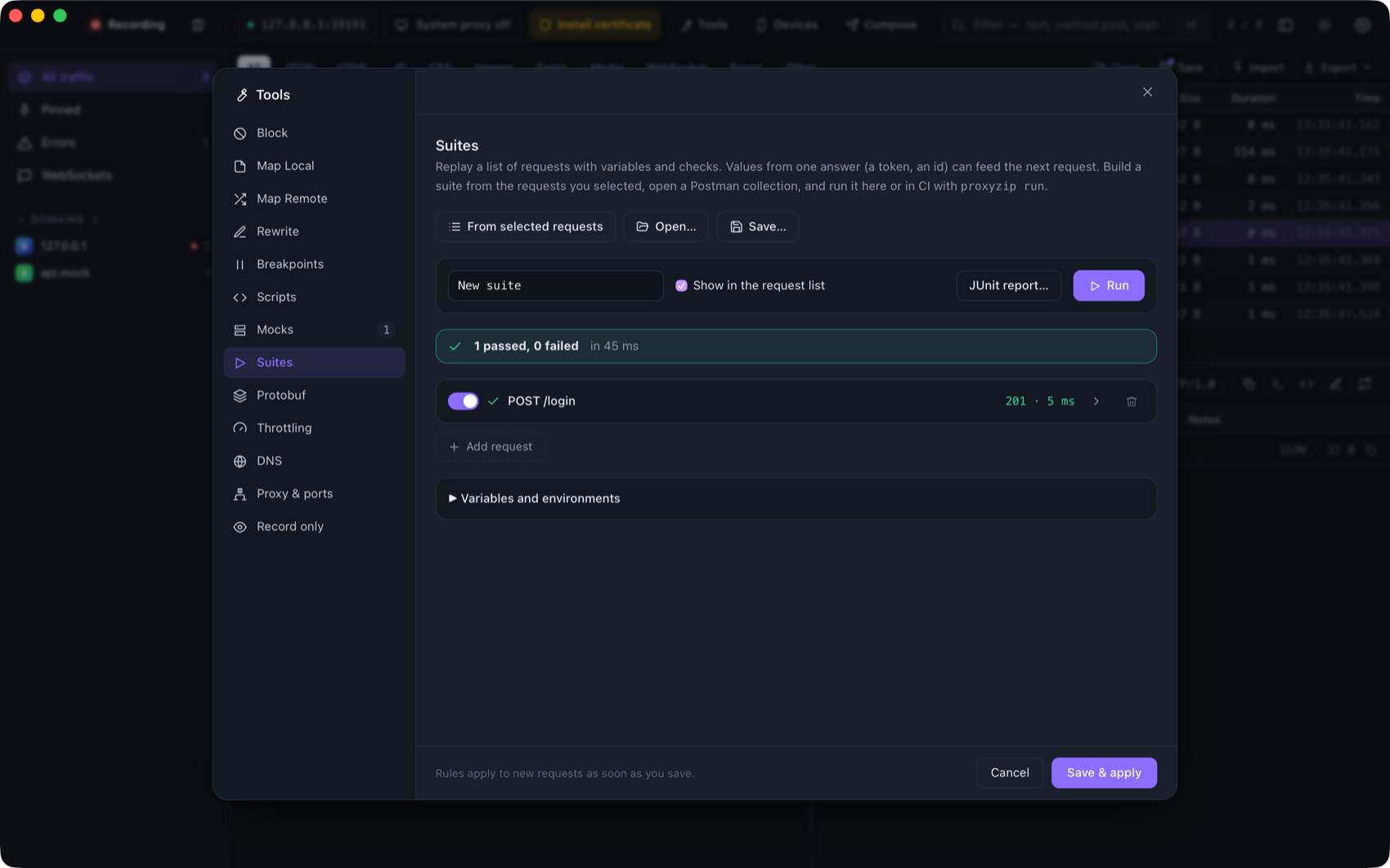
Build one
- From captured requests. Select requests in the list, right-click → Add to a suite… (or Tools → Suites → From selected requests). Each request expects the status it got when you captured it.
- From Postman. Open… a Postman collection (v2.1). Folders become name prefixes, variables and bearer or basic
auth are converted,
{{variable}}becomes{{vars.variable}}, and every request expects a2xx. - By hand. New suite, then add requests.
Suites are saved as .pzsuite files (JSON), which are easy to review and keep in Git.
Variables and environments
Use {{vars.name}} in URLs, headers, bodies and checks. Define them under Variables and environments:
{
  "variables": { "base": "https://api.example.com", "user": "ada" },
  "environments": { "staging": { "base": "https://staging.example.com" } }
}
An environment overrides variables of the same name (--env staging). The other template
expressions work too: {{uuid}}, {{now}}, {{random_int 1 100}}.
Checks
| Check | Example |
|---|---|
| Status | {"type":"status","equals":200} or {"type":"status","class":"2xx"} |
| Header | {"type":"header","name":"content-type","contains":"json"} |
| JSON value (jq) | {"type":"jq","expr":".items | length","equals":3}; without equals the result must be truthy |
| Body text | {"type":"body_contains","text":"ada"} |
| Speed | {"type":"duration_below","ms":500} |
| OpenAPI | {"type":"open_api","spec":"api.yaml"}: the exchange conforms to the specification (path relative to the suite) |
A request with no checks passes when the server answers.
Passing values on
{ "var": "token", "jq": ".token" }
in a request's Keep for later requests stores .token of its response as {{vars.token}} for the next requests.
{"var":"etag","header":"etag"} keeps a header. If a value cannot be found, the request fails and says why.
{
  "name": "login",
  "method": "POST",
  "url": "{{vars.base}}/login",
  "body": "{\"user\":\"{{vars.user}}\"}",
  "assertions": [{ "type": "status", "equals": 200 }],
  "extract": [{ "var": "token", "jq": ".token" }]
}
Running
In the app, press Run. With Show in the request list on, the requests go through ProxyZip, so you can open each
one in the inspector; they are tagged suite. JUnit report… saves the results as XML.
On the command line:
proxyzip run checkout.pzsuite --env staging --junit report.xml
proxyzip run postman_collection.json --var base=http://localhost:3000
proxyzip run checkout.pzsuite --via-proxy http://127.0.0.1:9393 --trust-proxyzip-ca
| Option | Description |
|---|---|
-e, --env <NAME> |
Use an environment of the suite |
--var NAME=VALUE |
Set a variable (repeatable) |
--via-proxy <URL> |
Send the requests through a running ProxyZip |
--trust-proxyzip-ca |
Trust ProxyZip's certificate (HTTPS through the proxy) |
--insecure |
Do not verify server certificates |
--bail |
Skip the rest after the first failure |
--junit <FILE> |
Write a JUnit XML report |
--json |
Print the report as JSON |
--timeout <SECONDS> |
Per-response timeout (default 30) |
The exit code is 1 when anything fails.
In GitHub Actions
- name: Install ProxyZip
  run: |
    curl -sL https://github.com/LuisPeixoto/ProxyZip/releases/latest/download/proxyzip-X.Y.Z-x86_64-unknown-linux-musl.tar.gz | tar xz
    echo "$PWD/proxyzip-X.Y.Z-x86_64-unknown-linux-musl" >> "$GITHUB_PATH"
- name: API checks
  run: proxyzip run tests/api.pzsuite --env ci --junit report.xml
- uses: actions/upload-artifact@v4
  if: always()
  with: { name: api-report, path: report.xml }
Combine it with proxyzip mock to test against a mock API, or with proxyzip validate to check the contract.