 ProxyZip
ProxyZip / Docs / Inspecting bodies
Inspecting bodies
ProxyZip picks the best view for each body and lets you go deeper when you need to.
Viewers
| Format | What you get |
|---|---|
| JSON | Collapsible tree, pretty-printed text, raw text |
| XML, HTML, CSS, JavaScript | Syntax-highlighted code with folding and search |
| Images | Preview |
| GraphQL | Operation type and name in the list (query GetUser), variables and query in the body |
| Protobuf | Decoded fields, with or without a schema |
| gRPC and gRPC-Web | Frames split, compression flags honoured, messages decoded and trailers shown |
| MessagePack | Converted to JSON |
| Server-sent events | Parsed into events, updating live while the stream is open |
| Anything else | Hex dump |

Code views use CodeMirror: search with ⌘F, fold blocks, wrap long lines. They stay fast with bodies of several
megabytes.
Protobuf and gRPC
Without a schema ProxyZip decodes the wire format and shows field numbers with their best-guess types. With a schema you get names and the right types.
- Compile a descriptor set:
protoc --include_imports --descriptor_set_out=api.desc api.proto. - Open Tools → Protobuf and import the
.descfile. - gRPC and gRPC-Web calls are matched automatically from the path (
/package.Service/Method). - For plain protobuf over HTTP, add a mapping from a matcher to a request and a response message type.

Descriptors are stored in your ProxyZip data folder, so they are available the next time you start.
jq filters
For JSON bodies, press jq in the body toolbar and type a filter. It runs locally, results appear in a code view, and errors point at the problem. Your recent filters are one click away.
.users[] | select(.age > 40) | {name, age}
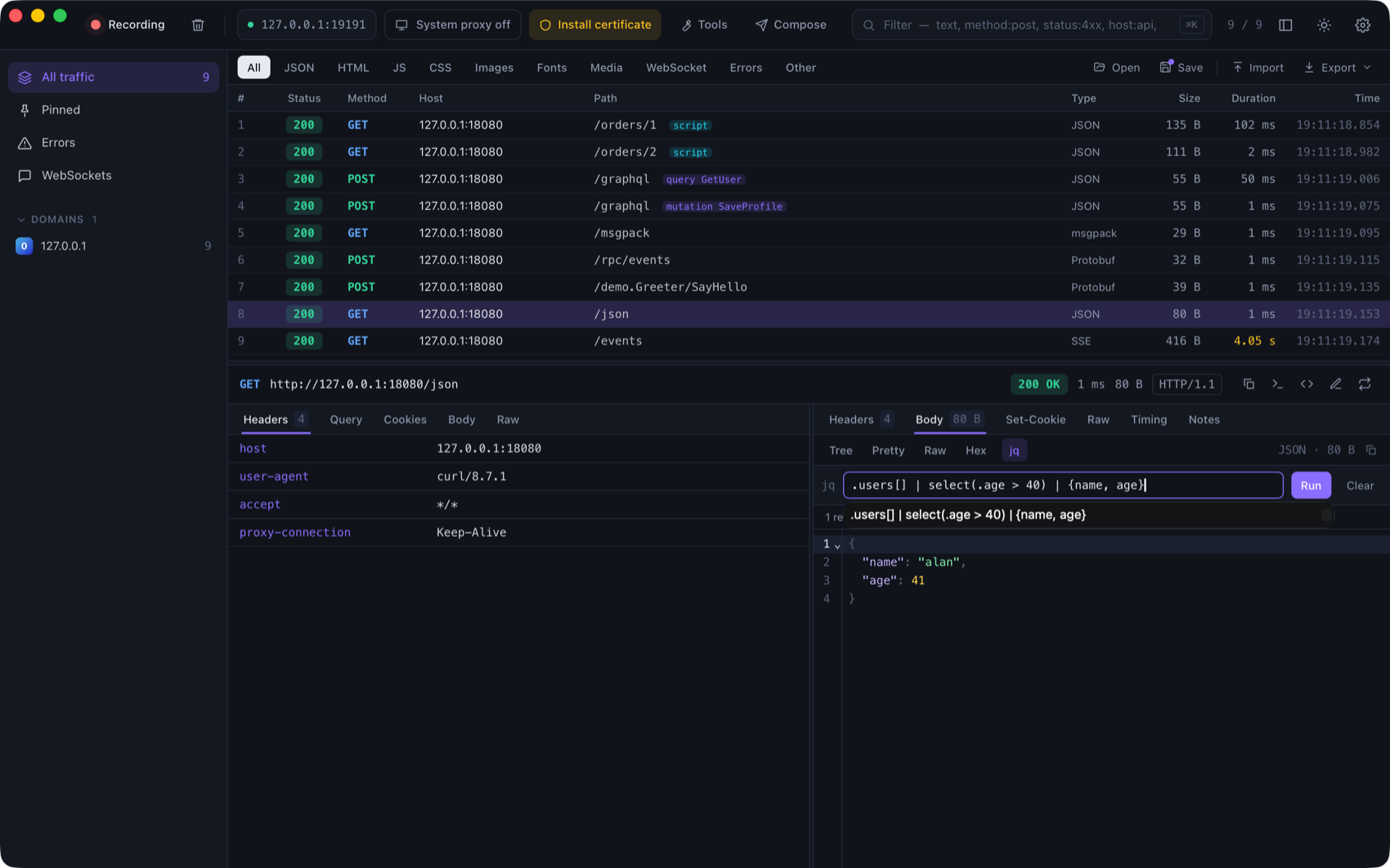
ProxyZip uses jaq, a jq implementation in Rust, with the standard library, math and regular expressions.
Compare two requests
Select two requests and press ⌘D (or right-click → Compare the two selected). The Diff window shows request
and response side by side: start line, headers (sorted, with volatile ones such as date and x-request-id hidden
by default) and the pretty-printed body.
Generate code
Press the code button in the inspector, or right-click → Generate code…, to get the request as code in: cURL, HTTPie, PowerShell, Python (requests), JavaScript (fetch), Node.js (axios), Go, Rust (reqwest), Java (HttpClient), Kotlin (OkHttp), Swift (URLSession), C# (HttpClient), PHP (cURL) and Ruby (Net::HTTP).
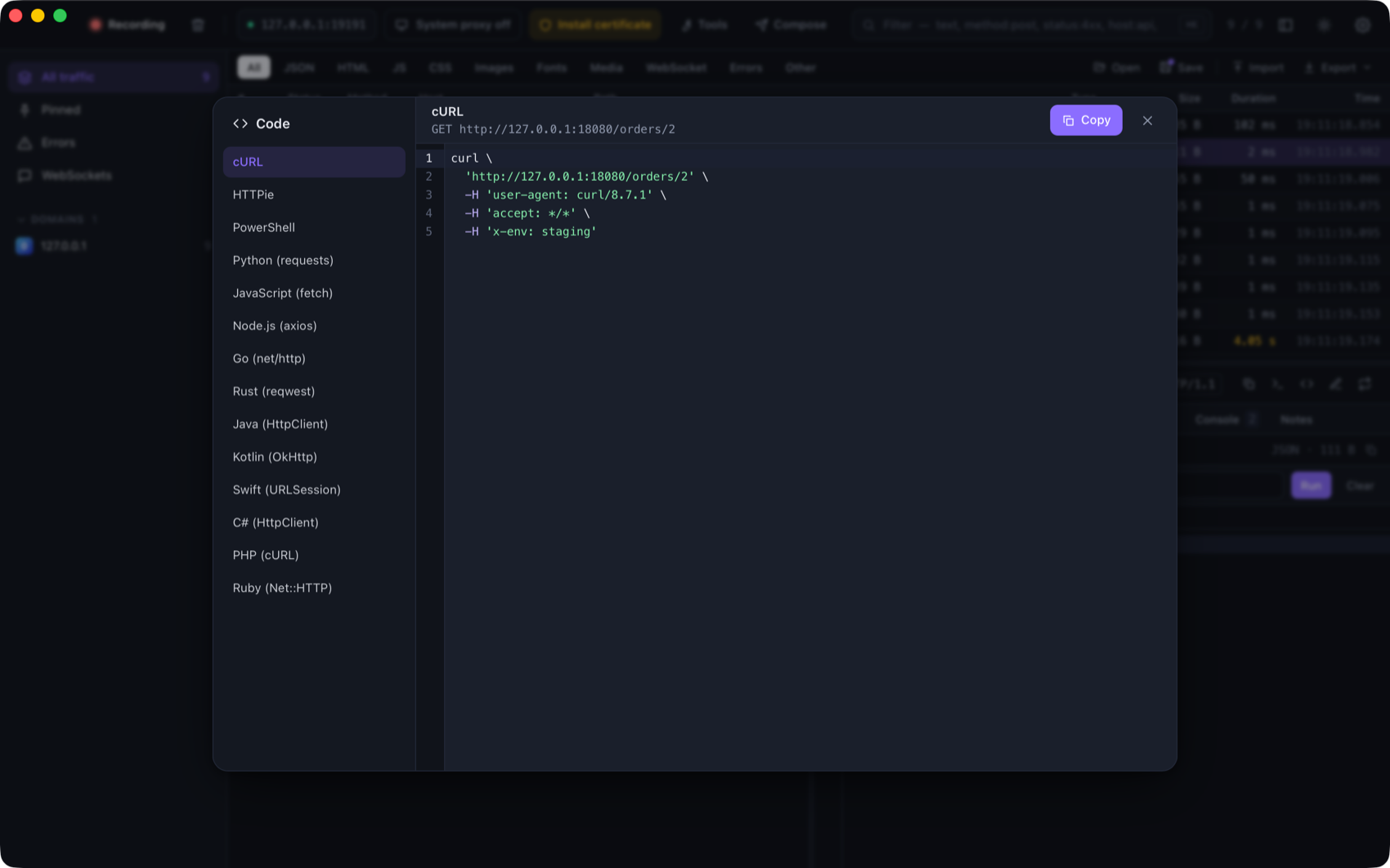
Strings are escaped for each language and binary bodies are sent as Base64. The same generator is available as
proxyzip code.