 ProxyZip
ProxyZip / Docs / AI assistants (MCP)
AI assistants (MCP)
ProxyZip includes a Model Context Protocol server, so assistants such as Claude Code, Cursor and VS Code can look at your captured traffic: list and filter requests, read decoded bodies, run jq filters, generate code and explain what went wrong.
Privacy. Captured requests often contain passwords, cookies and tokens. The server is off by default, only accepts connections from your own computer, and every call needs an access token. Turn it on only for assistants you trust, and remember that their provider receives whatever the assistant reads.
Turn it on
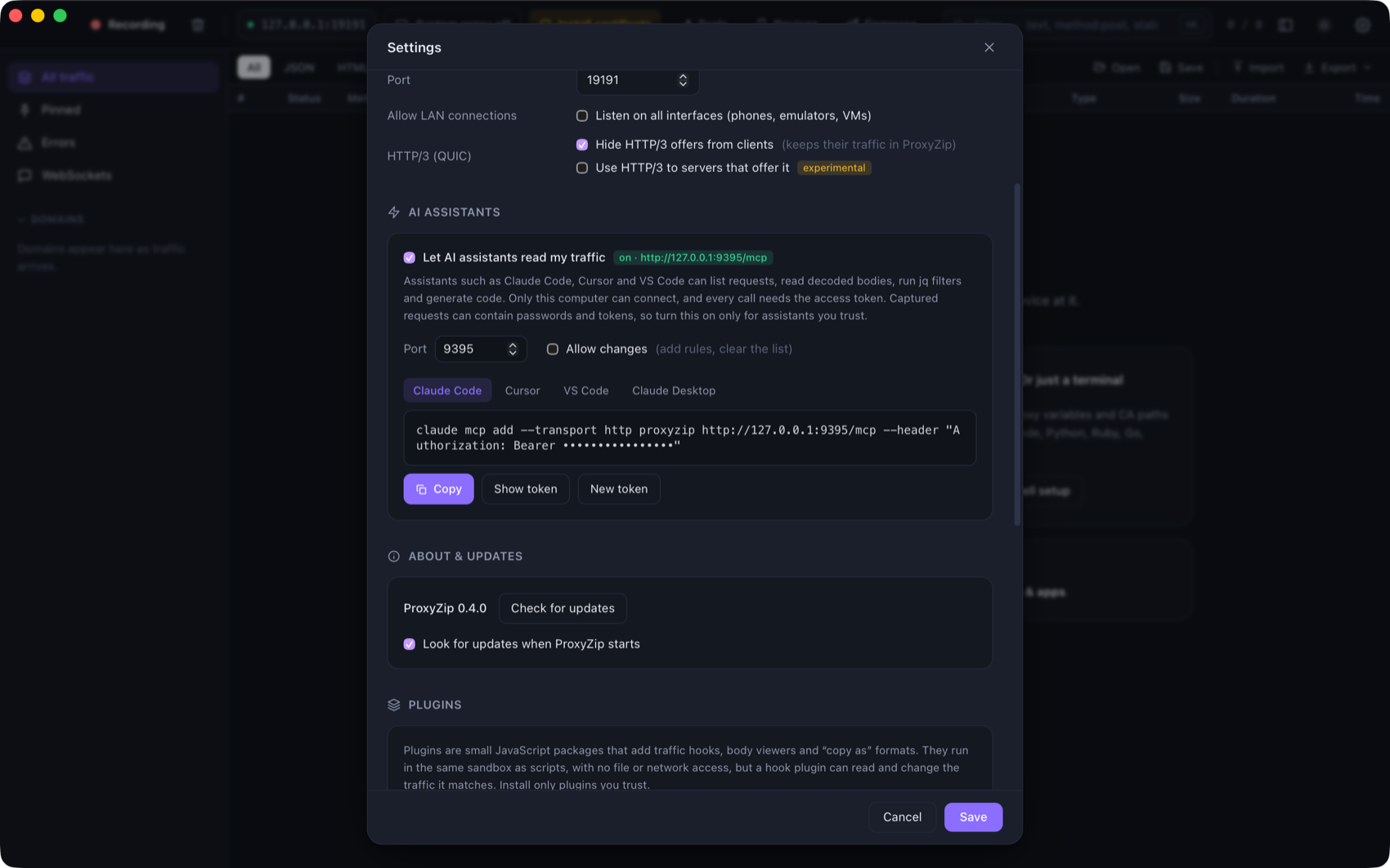
Settings → AI assistants → Let AI assistants read my traffic. The panel shows a ready-to-copy setup for each
client. The server listens on http://127.0.0.1:9395/mcp (the port is configurable) and the token is stored in
mcp-token in the data folder (permissions 600). New token invalidates the old one.
| Client | Setup |
|---|---|
| Claude Code | claude mcp add --transport http proxyzip http://127.0.0.1:9395/mcp --header "Authorization: Bearer <token>" |
| Cursor | {"mcpServers": {"proxyzip": {"url": "http://127.0.0.1:9395/mcp", "headers": {"Authorization": "Bearer <token>"}}}} |
| VS Code | {"servers": {"proxyzip": {"type": "http", "url": "http://127.0.0.1:9395/mcp", "headers": {"Authorization": "Bearer <token>"}}}} |
| Claude Desktop | {"mcpServers": {"proxyzip": {"command": "proxyzip", "args": ["mcp"]}}} (needs the command-line tool) |
From the command line
proxyzip mcp                                   # stdio bridge to a running ProxyZip (app or `start --mcp`)
proxyzip mcp --session capture.pzsession       # serve a saved session, read-only
proxyzip start --mcp 9395                      # capture and serve MCP together
proxyzip start --mcp 9395 --mcp-allow-changes  # let assistants edit rules and clear traffic
A running ProxyZip publishes its address and token in mcp.json in the data folder, which is how proxyzip mcp finds
it without any configuration. The file is removed when ProxyZip exits.
Secrets stay hidden
Assistants get redacted data by default: tokens, cookies, passwords and API keys become <redacted> in get_flow,
search_bodies, query_body and export_har, and in the flow:// resources. The tools take redact: false for the
rare case where you ask the assistant to look at a raw value, but note that this sends the secret to the assistant's
provider. See Workspaces and secrets for what is removed.
Tools
| Tool | What it does |
|---|---|
get_status |
Whether ProxyZip is capturing, its address, and how many requests it holds |
list_flows |
Requests, newest first, with the filter language (host:api status:5xx -analytics), paging and order |
get_flow |
Headers, decoded bodies (truncated to a limit you choose), timing, TLS, tags and script logs |
search_bodies |
Requests whose request or response body contains some text, with a snippet |
query_body |
A jq expression on a JSON body |
generate_code |
The request as code in any of the 14 languages |
export_har |
Up to 200 requests as HAR 1.2 |
list_rules |
The current rules |
add_rule, remove_rule |
Block, Map Local, Map Remote, Rewrite, script and DNS rules (changes only) |
clear_flows |
Delete all requests (changes only) |
Tools that change anything are refused unless Allow changes is on (or --mcp-allow-changes is given), and they
say so, so an assistant can tell you what to switch on. get_flow bodies are also exposed as resources
(flow://<id>).
Security notes
- The HTTP endpoint binds to
127.0.0.1only and refuses any other address. - Requests carrying the
Originof a web page are rejected, so a website cannot talk to the server through your browser (DNS rebinding). - Tokens are compared in constant time and never logged.
- The stdio mode (
proxyzip mcp) runs as your user and reads the same token file, so it needs no extra secret.