 ProxyZip
ProxyZip / Docs / Devices, browsers and runtimes
Devices, browsers and runtimes
Open Devices in the toolbar (or Devices & apps on the welcome screen) for guided setup. It checks what is already done and offers a button for each step. Everything here is also available from the command line.
| Target | In the app | Command line |
|---|---|---|
| This computer | This computer tab | proxyzip ca install, proxyzip system-proxy on |
| A terminal | Terminal & runtimes tab | eval "$(proxyzip env)", proxyzip terminal |
| iPhone and iPad | iPhone & iPad tab | open http://proxyzip.cert on the device |
| iOS Simulator | iPhone & iPad tab | proxyzip ca ios-simulator |
| Android emulator or device | Android tab | proxyzip ca android |
| Java | Java tab | proxyzip env sets JAVA_TOOL_OPTIONS |
| Firefox | Firefox tab | proxyzip ca firefox |
Terminal and runtimes
proxyzip env prints a snippet for your shell (--shell sh|fish|powershell|cmd, detected by default) that:
- sets
HTTP_PROXY,HTTPS_PROXY,NO_PROXYand their lowercase forms; - points the certificate variables of curl, Python
requests, Git, pip, Cargo, the AWS CLI and OpenSSL-based tools at a CA bundle: the system's trusted roots plus the ProxyZip CA. Using a bundle (not just the ProxyZip CA) means hosts you excluded from decryption keep working; - gives Node.js the CA (
NODE_EXTRA_CA_CERTS), turns on its native proxy support (NODE_USE_ENV_PROXY, Node 24 and newer) and preloads a small agent for older versions that tunnelshttpandhttpsthrough the proxy; - gives Deno the CA, and Java a trust store and proxy options (below).
proxyzip terminal (or Open a terminal in the app) opens a new terminal window with all of that applied.
Generated files live in <data folder>/runtime.
iPhone and iPad
The device and the computer must be on the same network, and Allow LAN connections must be on in Settings.
- Set the Wi-Fi proxy: Settings → Wi-Fi → (i) → Configure Proxy → Manual, with the address and port shown in the app.
- In Safari open the address shown (or scan the QR code) and tap iOS profile. Install it from Settings → Profile Downloaded.
- Turn on full trust: Settings → General → About → Certificate Trust Settings.
The profile is a standard configuration profile with one root-certificate payload. Remove it any time from Settings → General → VPN & Device Management.
Android
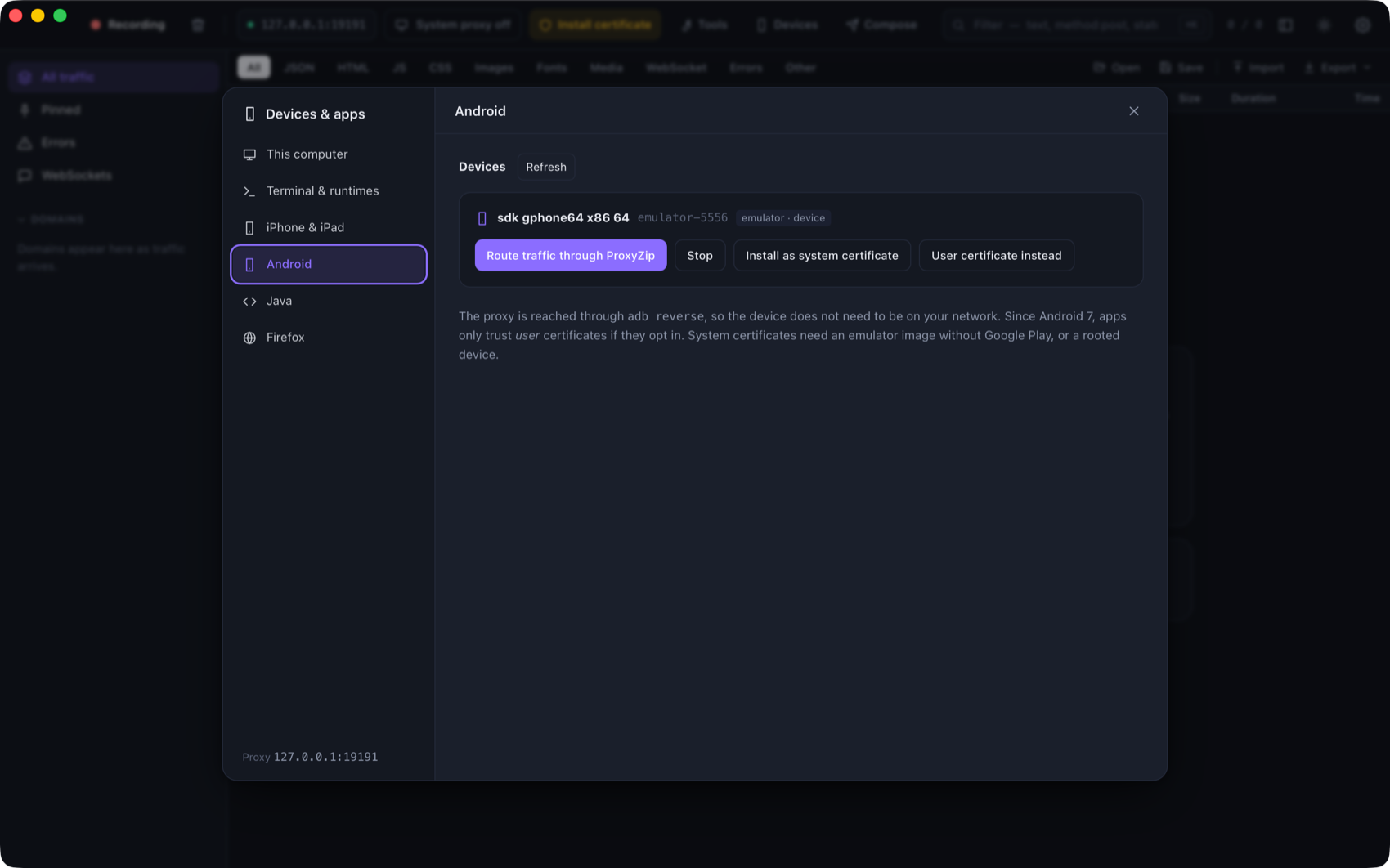
proxyzip ca android --list shows connected emulators and devices. The Android tab does the same and adds a
button per step. It uses adb from ANDROID_HOME, ANDROID_SDK_ROOT, the default SDK folders or your PATH.
- Route traffic:
adb reverseplus the global HTTP proxy setting, so the device reaches ProxyZip at127.0.0.1without being on your network. Stop (or--clear-proxy) undoes it. - User certificate: copies the certificate to the device and opens Android's installer. Works everywhere, but since
Android 7 apps only trust user certificates if they opt in with a
network_security_config. - System certificate: for emulators without Google Play and rooted devices. Android 13 and older: the certificate
is written to
/system/etc/security/cacerts. Android 14 and newer: it is bind-mounted over the Conscrypt APEX store and lasts until the device reboots.
The Android 14 method follows a widely used procedure but depends on the system image. If it fails, use the user certificate or a debug build of your app that trusts user certificates.
Java
ProxyZip finds your JDK (JAVA_HOME, /usr/libexec/java_home on macOS, or java on the PATH), copies its
cacerts, and adds the ProxyZip CA with keytool. The Java tab shows the JAVA_TOOL_OPTIONS to use:
-Dhttps.proxyHost=127.0.0.1 -Dhttps.proxyPort=9393 -Djavax.net.ssl.trustStore=…/java-truststore
-Djavax.net.ssl.trustStorePassword=changeit
Your JDK is never modified.
Firefox
Firefox keeps its own certificate store. Set up Firefox finds every profile on the computer (macOS, Windows, Linux, Snap and Flatpak) and
- imports the CA into each profile with
certutilwhen it is installed (part of NSS), and - sets
security.enterprise_roots.enabledinuser.js, so Firefox also trusts the operating-system store.
Restart Firefox afterwards, and make sure it uses the system proxy (Settings → Network Settings → Use system proxy settings) or the manual proxy shown in the app.