 ProxyZip
Scripting
Scripts let you change traffic with a few lines of JavaScript. They run inside the proxy, on every matching request and response, and need no changes to your app.
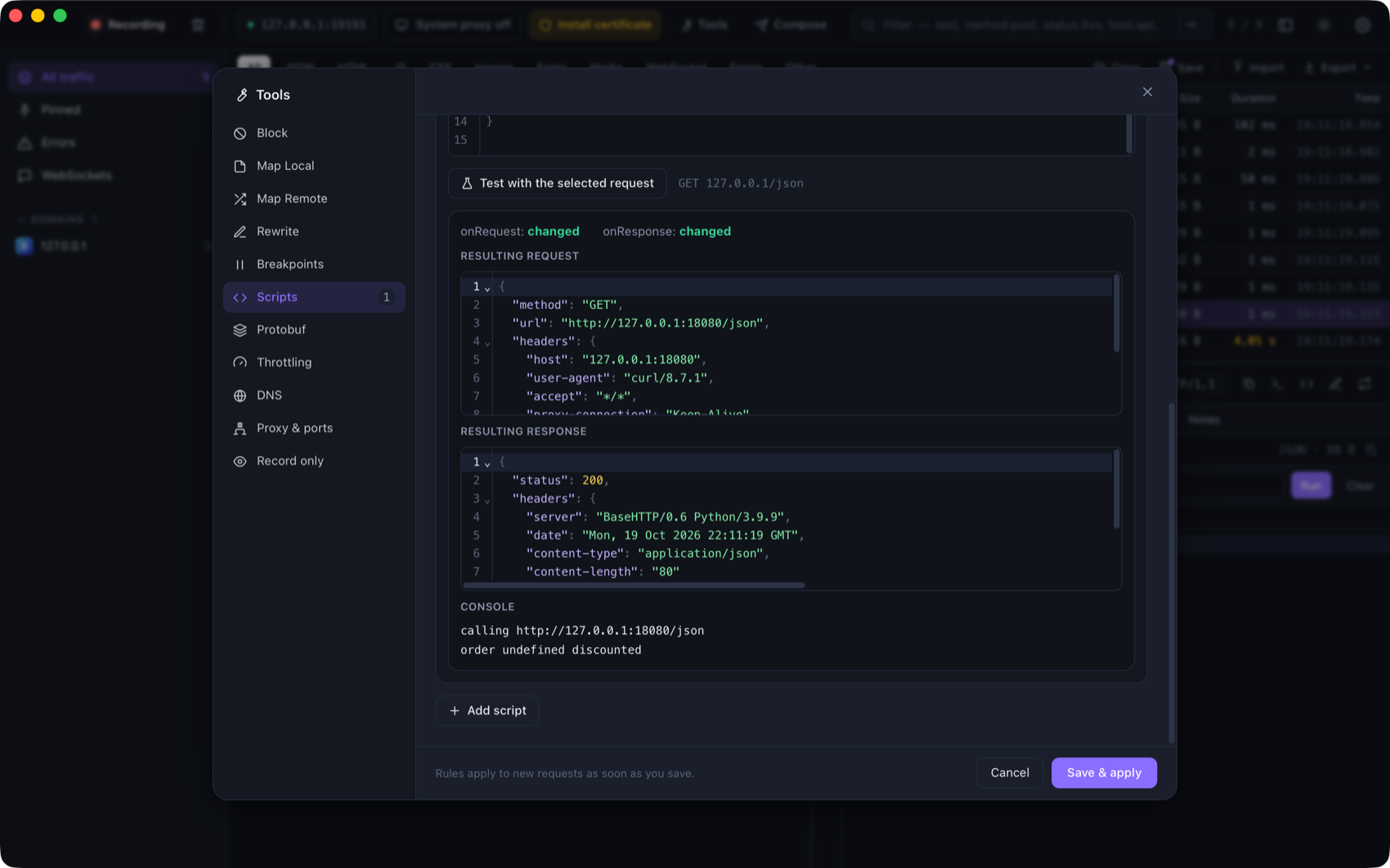
Open Tools → Scripts, add a script, choose which requests it matches (the same matcher as every other rule) and
write onRequest and/or onResponse.
Hooks
function onRequest(ctx, request) {
  request.headers["x-env"] = "staging";
  return request;
}

function onResponse(ctx, request, response) {
  const data = JSON.parse(response.body);
  data.discounted = true;
  response.body = JSON.stringify(data);
  return response;
}
Both hooks are optional. Return the object you received (or nothing, if you edited it in place). Returning null
from onRequest blocks the request: the client receives 403 and the flow is tagged script.
| Object | Fields |
|---|---|
request |
method, url, headers, body, bodyBase64 |
response |
status, headers, body, bodyBase64 |
ctx |
shared: an object that persists between runs of the same script |
headersis an object. A header that appears more than once is an array. Names keep their original case.bodyis the decoded text (compression removed). For binary payloads usebodyBase64. Set whichever you change; if you setbody, the length headers are fixed for you.- Changing
request.urlredirects the request. Changingresponse.statuschanges what the client sees.
Helpers
| Helper | Description |
|---|---|
console.log, console.warn, console.error |
Written to the flow's Console tab |
$.base64.encode(s), $.base64.decode(s) |
Base64 for strings |
$.md5(s), $.sha1(s), $.sha256(s) |
Hex digests |
$.hmacSha256(key, message) |
Hex HMAC |
$.uuid() |
A random UUID v4 |
$.jwt.decode(token) |
{ header, payload, signature } (does not verify) |
$.json.parse(s), $.json.stringify(v, space) |
JSON helpers |
$.sleep(ms) |
Delay the request or response |
Scripts are synchronous: async functions and await are not supported, and a hook that returns a Promise is
reported as an error. There is no network, file or process access.
Limits and safety
Scripts run on QuickJS in a small pool of worker threads.
- Each run is limited to 2 seconds and 64 MB of memory. A script that loops forever is interrupted.
- A script that throws, times out or has a syntax error never breaks your traffic. The request continues
unchanged, the flow is tagged
script-errorand the message is in its Console tab. - Request scripts run after the other rewrite rules. Response scripts need the whole body, so ProxyZip buffers responses that a script matches.
Testing a script
Test with the selected request runs the script against the request you selected in the list and shows the resulting request, response, console output and any error. Nothing is sent over the network.
Examples
Add an auth header only to one host:
function onRequest(ctx, request) {
  request.headers["authorization"] = "Bearer " + $.base64.encode("dev-user:dev-pass");
  return request;
}
Count calls and log them:
function onRequest(ctx, request) {
  ctx.shared.calls = (ctx.shared.calls || 0) + 1;
  console.log("call #" + ctx.shared.calls, request.method, request.url);
}
Mock a failure for every third response:
function onResponse(ctx, request, response) {
  ctx.shared.n = (ctx.shared.n || 0) + 1;
  if (ctx.shared.n % 3 === 0) {
    response.status = 503;
    response.body = JSON.stringify({ error: "try again" });
  }
  return response;
}
Scripts are stored in rules.json (see Tools) and also run with
proxyzip start --rules rules.json.