
Command blocks
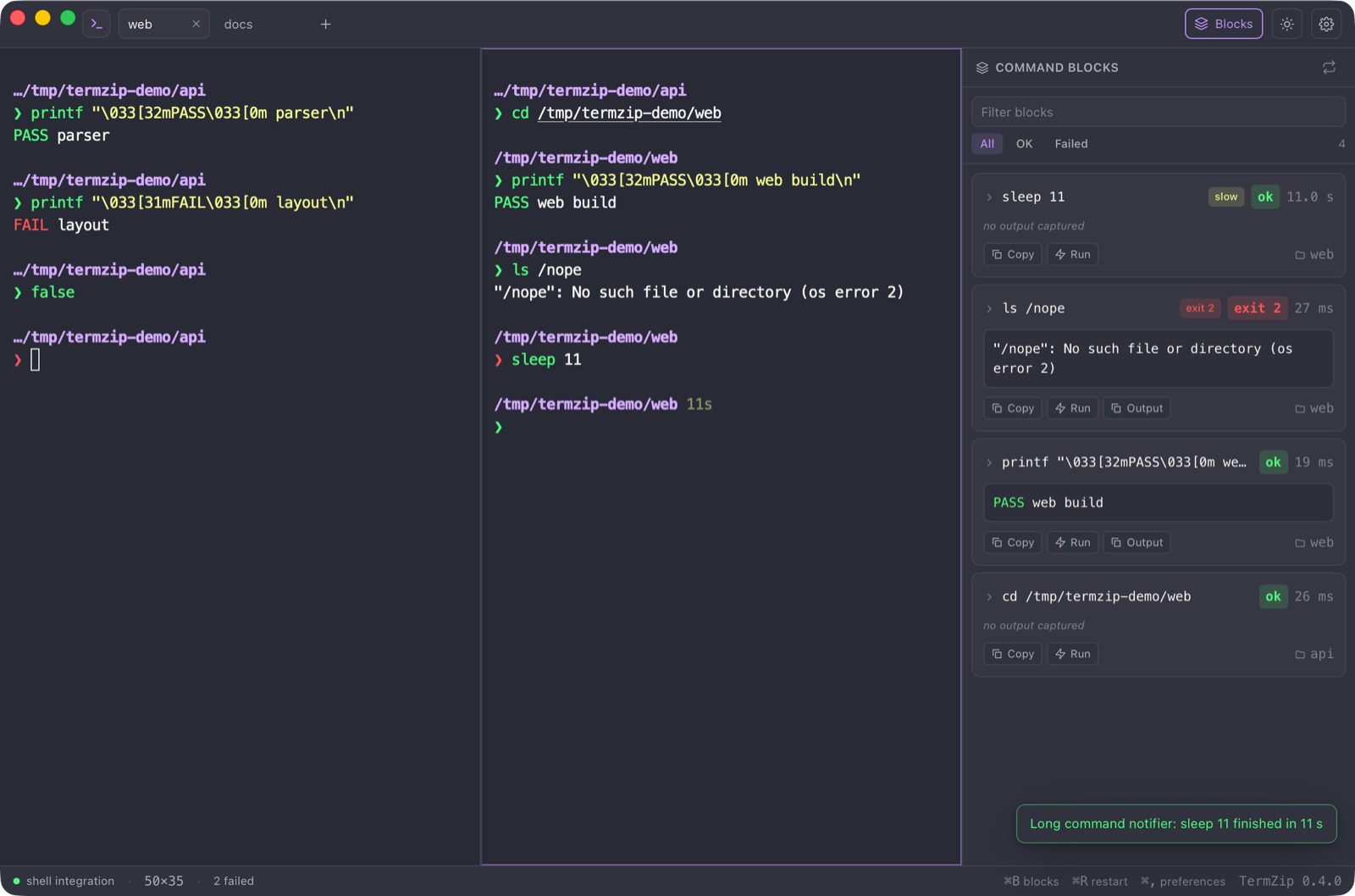
With zsh, bash, fish or PowerShell, each finished command becomes a block with its exit code, duration, folder and colored output. Copy it, or run it again in one click.
Docs · Command blocksA real terminal with your own shell, vim, tmux and SSH, plus a rail of finished commands you can copy and run again. Free, open source, and it sends nothing anywhere.
brew install --cask luispeixoto/termzip/termzip
Homebrew. Apple silicon and Intel.
scoop bucket add termzip https://github.com/LuisPeixoto/scoop-termzip
scoop install termzip
Scoop. Or download the installer.
AppImage, .deb and .rpm from the releases page.
Builds are not signed with an Apple or Windows certificate yet, so the system may warn on first launch. Every release publishes its SHA-256 checksums.
Everything below is in 1.0, checked by tests, and documented.
With zsh, bash, fish or PowerShell, each finished command becomes a block with its exit code, duration, folder and colored output. Copy it, or run it again in one click.
Docs · Command blocksSeveral shells in one window, split right or down, resized by dragging. Your layout comes back on the next launch: structure only, never output.
Docs · Tabs and splitsvim, htop, tmux, SSH and REPLs work as they do anywhere. Search the scrollback, click links safely, and a click can never start a program.
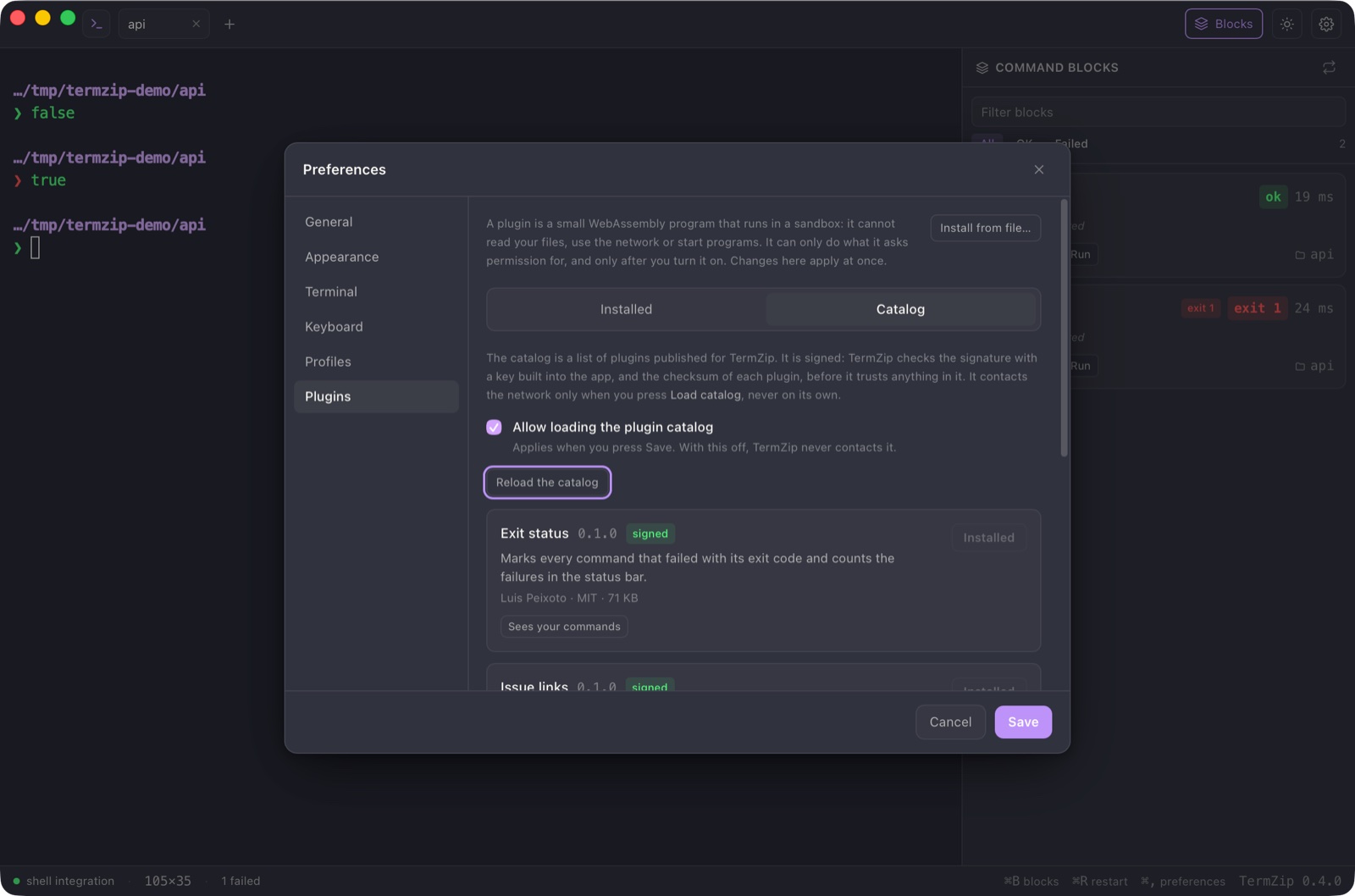
Docs · A real terminalSmall WebAssembly files add palette commands, block labels and status items. A plugin has no way to reach your files, the network or other programs.
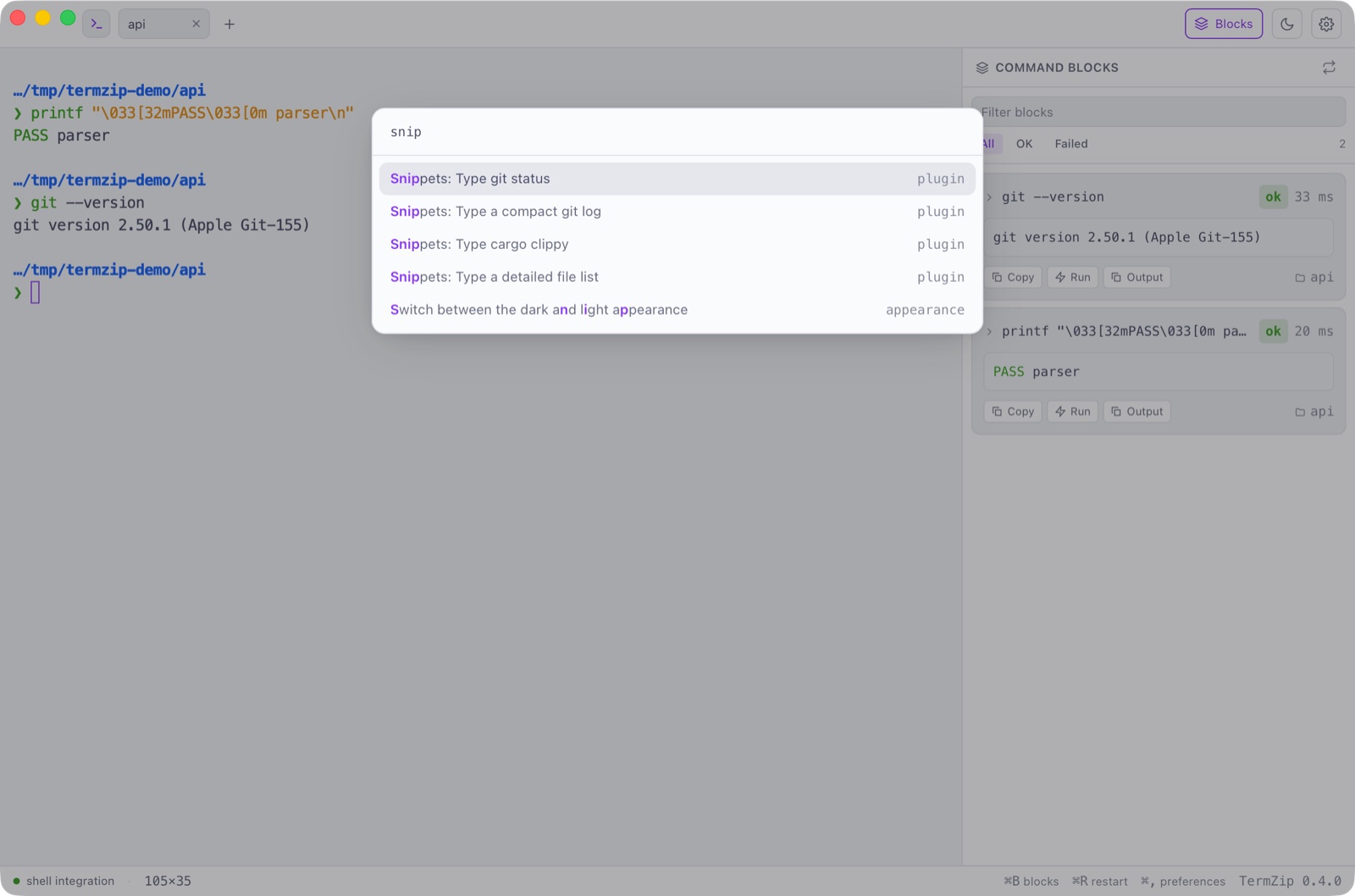
Docs · PluginsKeep commands with {{values}}, and find the scripts of your project (package.json, Cargo, Makefile, justfile) in the palette. They are typed for you to read; TermZip never presses Enter.
Docs · Snippets and tasksA tab that opens already connected, with your own agent and ~/.ssh/config. TermZip stores no key, password or identity file.
Docs · SSH and WSLDracula, Nord, Catppuccin, Gruvbox, Tokyo Night and more, recoloring the whole window. Import iTerm2, Windows Terminal, Ghostty, Kitty and Alacritty themes as they are.
Docs · Twelve themesRebind every shortcut, tie a profile to a folder, tune cursor, spacing and window blur. Git branch and state sit in the status bar and can be turned off.
Docs · Yours to shapeOptional screen reader support, no motion when your system asks for none, and every interface color held to WCAG AA contrast in every theme.
Docs · Accessible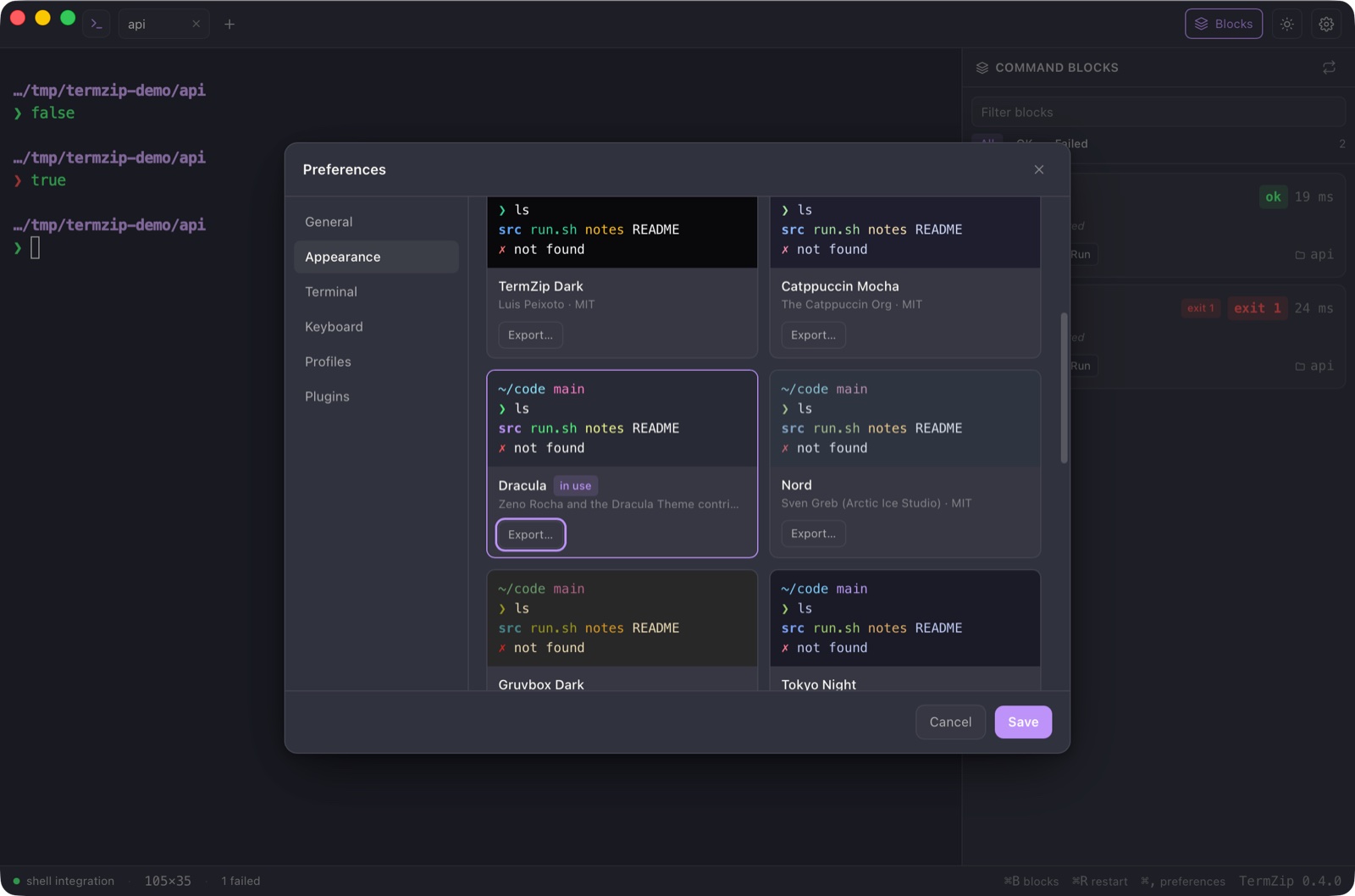
TermZip has no accounts and no telemetry. These are checkable facts, not promises.
Release build on an Intel Mac with 32 GB. The budgets are checked in continuous integration.
Windows is slower on a large flood of output; see the performance guide for every number and limit.
| Measure | Budget | Measured |
|---|---|---|
| First prompt after launch | at most 700 ms | 578 ms |
| Output of a flood (seq) | at least 180,000 lines/s | 200,000 lines/s |
| Idle processor | at most 5 % | 2.5 % |
| Memory with the web view | at most 700 MB | 611 MB |
Yes. TermZip is open source under the MIT license, with no accounts and no paid tier.
macOS (Apple silicon and Intel), Windows and Linux. Releases include a dmg, an installer and an msi, an AppImage, a deb and an rpm.
No. There is no telemetry and no account. It uses the network only when you press a button: loading the plugin catalog, installing a plugin or checking for an update.
A real one. It runs your own shell in a real pseudo-terminal, so vim, tmux, SSH and your line editor work unchanged. Blocks are added on top, for zsh, bash, fish and PowerShell.
Releases are not yet signed with an Apple or Windows certificate. Check the SHA-256 checksums published with each release, or install with Homebrew or Scoop, which check them for you.
No. A plugin is a WebAssembly file with no imports, so it has nothing to call out with. It can only see what it asked for, and you approve that first.
Install it, open a terminal, and see every command become a block.
Install